













Pay as you go
From $20
Best for
- Production projects
- Fast iteration & scaling
- Startups & indie devs
What's included
- Access to all models
- No usage limits
- Access to Playground
- Pay with crypto
- Pay only for what you use
- Priority human support
Custom pricing for production workloads
Universal endpoint for text, image, video, audio AI models and agentic tools under one bill. Zero markup on any request
0% markup on AI models and tools
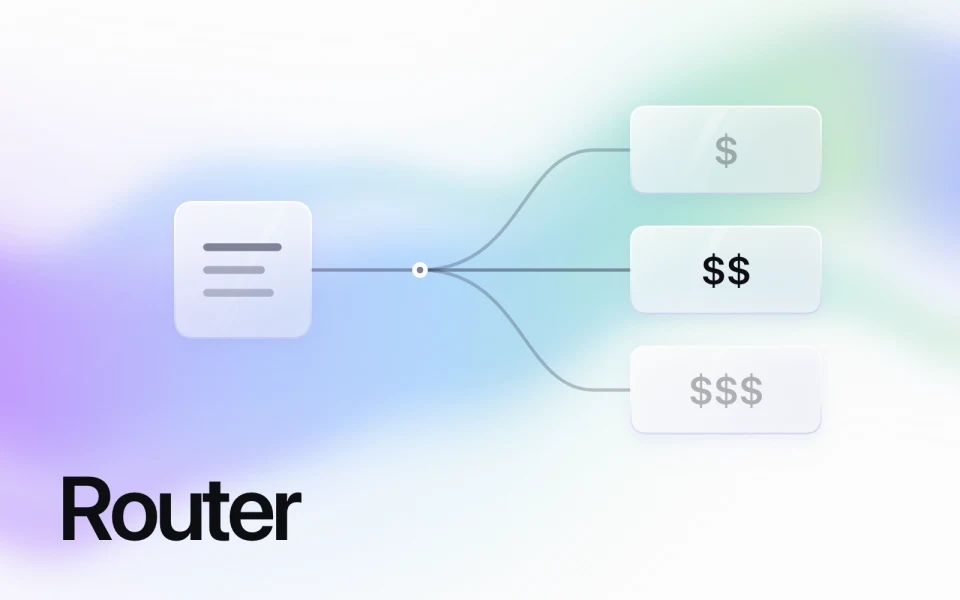
 Jev Router
Pay less for simple tasks and use stronger models only when needed
Explore Jev RouterIllustrative routing by difficulty. Simple tasks route to DeepSeek V4.1 Flash or Gemini 3.1 Flash-Lite. Medium uses Standard-tier GPT-6.1 Sol; hard uses Heavy-tier Claude Opus 5.5. Task difficulty is illustrative. Entering the viewport or hovering starts the first request immediately. Keyboard focus pauses; reduced motion shows a static overview.
Use Claude, GPT, DeepSeek, Grok and other models with one API key, and pay for usage from the one balance.
 Claude Opus 5.5AnthropicHandle demanding coding and multi-step changes in large codebases
  GLM-5.3Z.aiReason over long documents and call tools for multi-step work
  GPT-6 SolOpenAITackle complex coding and agent workflows with text and image input
  Gemini 4 ArgonGoogleSolve complex coding, maths and science tasks with reasoning
  DeepSeek V4.1 Flash 1017DeepSeekChat, reason and understand images with a long context window
  Grok 4.7xAIGenerate text, write code and work through reasoning tasks
  Nano Banana 2.1GoogleGenerate images and refine them through conversational editing Gemini Omni 1.1 FlashGoogleGenerate, edit and extend videos through conversation
  Eleven v4ElevenLabsTurn text into expressive speech with emotion and delivery tags
  MiniMax Music 2.6MiniMaxCreate music tracks from text with consistent musical structure
  Grok Imagine Image 2.0xAIGenerate and edit images with sharp text and reference images
  Seedance 2.5ByteDanceGenerate videos with multiple references and synchronized audio MiniMax M3.1 FlashMiniMaxWrite code and run multi-step agents with visual understanding
  Claude Sonnet 5.5AnthropicBuild features and fix bugs with adaptive reasoning
  Muse WonderMetaReason across text, images and video for multi-step agent tasks Claude Haiku 5.5AnthropicClassify, extract and route information for high-volume workflows
  Mistral Large 4Mistral AIGenerate text with Mistral’s chat completions model
  Nemotron 3.5 Super VLNVIDIAAnswer questions about documents, screenshots, images and video Eleven v4 TurboElevenLabsGenerate expressive speech with low latency for real-time use GPT Image 2.5 SunburstOpenAIGenerate and edit images, including inpainting from text and images
  Wan 3.0 VideoAlibaba CloudCreate videos from text, images and multimedia references
  FLUX 3 VideoBlack Forest LabsTurn text prompts into video clips with synchronized audio Seed 2.0 CodeByteDanceBuild frontends and run coding agents across programming languages Qwen Image 3Alibaba CloudGenerate images with Chinese and English text from prompts Nano Banana 2 LiteGoogleGenerate images from text for high-volume workflows MiniMax H3MiniMaxCreate videos with consistent characters, voices and synced audio
  Nova-3 GeneralDeepgramTranscribe speech across languages with speaker identification Lyria 2GoogleTurn text descriptions into diverse musical compositions Voyage Large 2AnthropicCreate embeddings for general-purpose information retrieval Textembedding-gecko@003GoogleCreate text embeddings for natural language processing tasks Qwen Text Embedding v4Alibaba CloudTurn text into vectors for semantic search and classification LLama 3 (70B)MetaAccess Meta’s Llama 3 language model through one API Mixtral 8x22BMistral AIProcess language with Mistral’s Mixtral model Qwen (7B)Alibaba CloudProcess language with Alibaba’s Qwen model
  Meshy 6 Image to 3DMeshyTurn an image into a textured 3D model for game-ready assets Mistral OCR LatestMistral AIExtract text and structured content from PDFs and images
  GLM-OCRZhipu AIExtract text and structured content from images and documents
  GPT-JT-Moderation (6B)TogetherModerate content for safer digital conversations Llama Guard (7B)MetaIdentify and classify safety risks in prompts and responses
 No models found. Try another name, provider or category.
Choose from 500+ models for chat, image, video and audio, and add agent tools without managing separate credentials
Explore modelsUse AI models and tools under one bill. Top up from $20 whenever you need to and pay only for what you use.
See pricingYour inputs are not used to train or fine-tune models. Our privacy policy explains what data we collect and how we use it.
Read the privacy policy- OPENAI_API_KEY- ANTHROPIC_API_KEY- GEMINI_API_KEY+ AIML_API_KEYUse GPT, Claude and other AI models with the SDK. Switch models without building a separate integration.
Give your agent tools for Google, YouTube, X (Twitter), LinkedIn and Reddit. Find leads, research competitors and combine data from across the web
Google Search ResultsGoogleFind which pages rank for your Google query.  YouTube TranscriptsYouTubeRead and quote timestamped video transcripts.
  Twitter (X) ScraperXCollect posts by keyword or profile URL.
  LinkedIn JobsLinkedInFind jobs by title, company or location.
  Reddit ScraperRedditFind recurring questions in posts and comments.
  Backlink CheckerMarketing & SEOFind pages linking to a domain or URL and inspect their anchor text
  Google AdsGoogleEnter a query and location to see paid search, local and shopping ads
  Bing SearchBingRun a Bing web search and get organic results, knowledge cards and paging
  DuckDuckGo SearchDuckDuckGoRun a DuckDuckGo web search with region, safe-search, date and paging controls
  Instagram ScraperInstagramEnter a profile URL or hashtag to retrieve posts and profile details LinkedIn Post SearchLinkedInSearch posts by text query and filter by author or company to track a topic
  Facebook Ad LibraryFacebookScrape ads from the Meta/Facebook Ad Library by search query or page
  Google Maps SearchGoogle MapsFind local businesses and their addresses.
  Company SearchCrunchbaseEnter a company name or keyword to get matching organizations and employee counts Funding RoundsCrunchbaseRetrieve funding rounds for a company with investment types and amounts raised
  Company OverviewTrustpilotGet a company's TrustScore, rating distribution, AI summary and first reviews
  Category ProductsG2List software products in a G2 category with their rating and review count
  Startup JobsWellfoundCompare startup job listings by role and location, with pay and remote status Google JobsGoogleSearch Google Jobs and get job postings with employer and location
  Company ProfileIndeedGet a company profile with employee reviews, salary data by role and interview info YouTube ScraperYouTubeSearch videos or supply a channel or playlist to get metadata and engagement figures YouTube CommentsYouTubeRead viewer responses to a video and collect questions for your next piece of content
  Weather ForecastAccuWeatherEnter a city name to get current conditions and hourly or daily forecasts
  Apple Maps PlacesApple MapsResolve up to 50 Apple Maps places by id with hours, phone, website and ratings Bing Map SearchBing MapsSearch Bing Maps listings around a map center, or look up one place by id X TrendsXGet current trending topics on X, then search posts on the one you pick
 No tools found. Try another name, provider or category.
Generate text, images or video and run tools directly from your agent through MCP
New models, agentic tools and product news,
straight to your inbox
Start small and scale on the same API as your traffic grows
From $20
Custom
Top up your balance, then pay for what you use at provider rates. There’s zero markup on models and tools, and charges follow each model’s units, such as tokens, images or video duration. See pricing.
You get 500+ models through one API and one key. Switch models without setting up a separate integration and billing account for each provider.
If you use the OpenAI SDK in Python or JavaScript, set your AI/ML API key and base URL. Anthropic models also have a separate Messages API, and you can call REST directly. For video and speech, including speech-to-text and text-to-speech, use documented REST endpoints; the OpenAI SDK does not support them here. See supported SDKs.
Text, images, video, music, speech, 3D, vision and embeddings. What you can send, receive or do depends on the model you choose. Browse the model docs.
Your query data is not used to train or fine-tune models. API request data may be reviewed for service improvements and security compliance. Enterprise plans encrypt data in transit and at rest. Read the data policy.
If you use Jev Router, it chooses a model for each chat request. When the first choice fails, it tries a higher-priced option in the same tier. You pay for the model that answers and for Jev’s separate routing decision. See how Jev Router works.
Yes. Add the remote MCP server to Claude Desktop, Claude on the web, Cursor or Claude Code and sign in with your AI/ML API account. You can find and run models and check your balance. Usage is billed to the same account. Connect with MCP.
Add funds by credit or debit card, PayPal or cryptocurrency. You can enable automatic top-ups, and your top-up credits don’t expire. Find your invoices and payments in your account.
You can arrange dedicated servers, a personal manager and pricing matched to your needs. Enterprise agreements can include volume discounts and long-term contracts. Talk to an expert about your requirements.