MAI-Voice-2, MAI-Transcribe 1.5 & MAI-Image 2.5 Guide
Quick overview
What are MAI-Voice-2, MAI-Transcribe 1.5, and MAI-Image 2.5?
They are three first-party Microsoft AI models announced at Build 2026. MAI-Voice-2 converts text into natural speech across 15 languages with voice cloning. MAI-Transcribe 1.5 converts speech into text across 43 languages at 276× real-time speed. MAI-Image 2.5 generates and edits images from text prompts, ranking #2 on Arena's image-editing leaderboard. All three are available through Microsoft Foundry and the MAI Playground.
Microsoft unveiled seven new MAI models at Build 2026, but three of them have the most immediate relevance for developers building real products: a text-to-speech model, a speech-to-text model, and an image model. Together they cover the full loop of multimodal AI — listen, understand, respond, and generate — without routing through different vendors or juggling incompatible APIs.
Understanding what each one does distinctly, and where they overlap in practical workflows, is the difference between choosing the right model on day one and discovering you built on the wrong foundation three months later.
Text-to-Speech
MAI-Voice-2
Expressive, multilingual speech synthesis with zero-shot voice cloning and granular emotion control.
- 15 languages supported
- 72% preferred over V1 in blind tests
Speech-to-Text
MAI-Transcribe 1.5
High-accuracy transcription across 43 languages, with keyword biasing and near-instant batch processing.
- 2.4% word error rate (Artificial Analysis)
- <15s to transcribe one hour of audio
Text-to-Image & Editing
MAI-Image 2.5
State-of-the-art image generation and controlled editing, ranked at the top of Arena's leaderboard.
- #2 on Arena image-editing leaderboard
- +75pts over MAI-Image-2 on Arena overall
MAI-Voice-2: Expressive Speech Across Languages
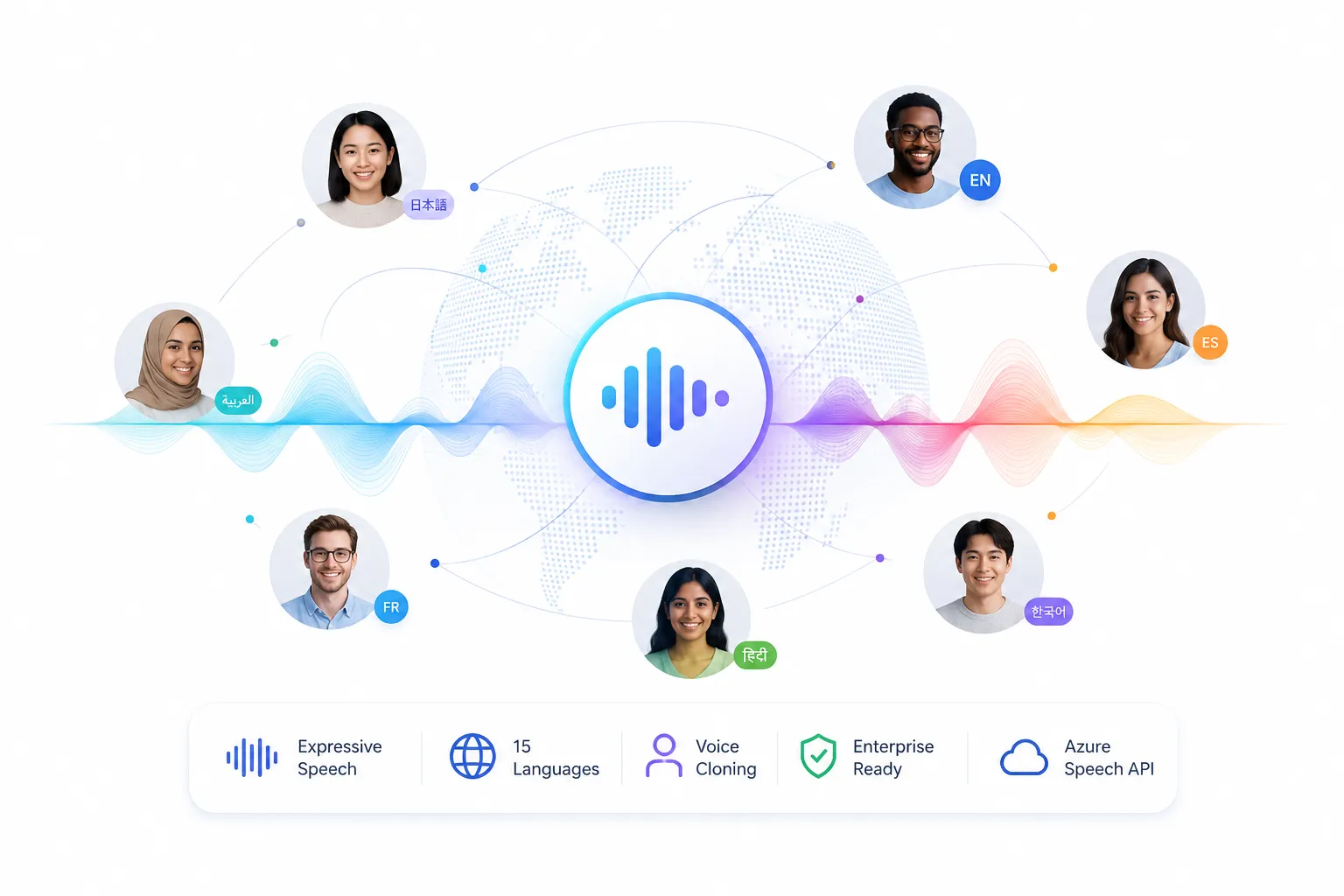
MAI-Voice-2 is Microsoft's most significant upgrade to its text-to-speech line since the original MAI-Voice-1 launched. Where V1 was an English-only, well-regarded but fairly narrow model, V2 is a full-scale multilingual system with new capabilities that previous generations simply could not support.
The model generates high-fidelity speech output at 24 kHz MP3, accessed through Azure Speech's REST API using standard SSML markup. What actually sets it apart from most competing TTS systems isn't the quality in isolation, it's the combination of emotional range, voice cloning, and multilingual consistency within a single deployment.
What's Actually New in Version 2
MAI-Voice-1 handled English well. MAI-Voice-2 keeps that quality baseline and extends it across 15 languages, including German, French, Spanish, Hindi, Japanese, Korean, Italian, Dutch, Turkish, Vietnamese, Indonesian, Portuguese, Australian English, US English, and Chinese, while maintaining the same naturalness and prosody that made V1 competitive in English.
The jump from one language to fifteen isn't just a coverage number. Multilingual TTS systems typically exhibit a steep quality gradient: excellent in English, serviceable in Western European languages, notably flat in lower-resource languages. Microsoft's claim, that V2 maintains consistent expressiveness across all supported languages, is the part worth testing in your specific deployment. Internal preference testing showed listeners chose MAI-Voice-2 over MAI-Voice-1 72% of the time.
Zero-Shot Voice Cloning
The capability that drew the most attention at Build 2026 is voice cloning without fine-tuning. MAI-Voice-2 can replicate a target speaker's vocal identity from just 5 to 60 seconds of reference audio, without retraining the model or preparing per-speaker weights. You provide the reference clip and the text you want spoken; the model handles the rest.
Microsoft calls this "identity preservation", the idea being that you're not creating a generic approximation of someone's voice but preserving their specific timbre, rhythm, and cadence across different languages. That distinction matters in practice for branded voice experiences, localized spokesperson content, and accessibility solutions where a consistent recognizable voice needs to work in multiple markets.
Note: voice prompting (cloning) is a gated feature requiring Microsoft approval and consent safeguards. This isn't a limitation to complain about, it's a responsible constraint that makes the feature usable in production without triggering ethical or legal exposure.
Emotion Control and Speaker Roles
Where MAI-Voice-1 could modulate tone across a limited range, V2 introduces a clearly defined set of emotional registers accessible through emotion tags in SSML: excited, sad, whispered, confused, embarrassed, angry, and neutral. These aren't cosmetic toggles, they produce genuinely different prosody and delivery that changes how spoken content lands emotionally.
On top of emotion styles, the model supports speaker roles — preset personas like Motivational Trainer and Sports Commentator that combine specific pacing, energy level, and register. For developers building interactive characters, game dialogue, or branded customer-service agents, this is closer to having a voice actor on call than adjusting synthesizer parameters.
Code-Switching
MAI-Voice-2 supports natural code-switching for select language pairs: Hindi-English and Spanish-English. Code-switching is the way multilingual speakers naturally mix languages mid-sentence — "I'll send you the report, but yaar, the numbers are confusing" being a perfectly natural Hindi-English utterance. A TTS model that handles this in a single generation, without awkward resets or voice breaks at the language boundary, is meaningfully better for applications serving these communities than one that forces you to segment your input text.
- 72% Blind preference over MAI-Voice-1 in head-to-head listening tests
- 15 Languages with consistent expressiveness; V2 Flash coming soon
- 5–60s Reference clip needed for zero-shot voice cloning, no fine-tuning required
Key Features at a Glance
Natural Multilingual TTS
Consistent naturalness across 15 languages including Hindi, Japanese, and regional English variants — not just a translation of English quality.
Zero-Shot Voice Cloning
Replicate any speaker's voice from 5–60 seconds of audio without model retraining. Includes built-in consent guardrails for responsible deployment.
Granular Emotion Control
SSML emotion tags for seven distinct registers: sad, excited, whispered, confused, embarrassed, angry, neutral.
Speaker Identity Stability
Maintains a consistent vocal identity across long-form content — audiobooks, lectures, podcast episodes — without drift over extended output.
Code-Switching
Handles natural mid-sentence language mixing for Hindi-English and Spanish-English, matching the way real bilingual speakers actually talk.
Speaker Role Personas
Pre-built personas like Motivational Trainer and Sports Commentator that combine pacing, energy, and delivery style.
MAI-Transcribe 1.5: The Speed-Accuracy Frontier
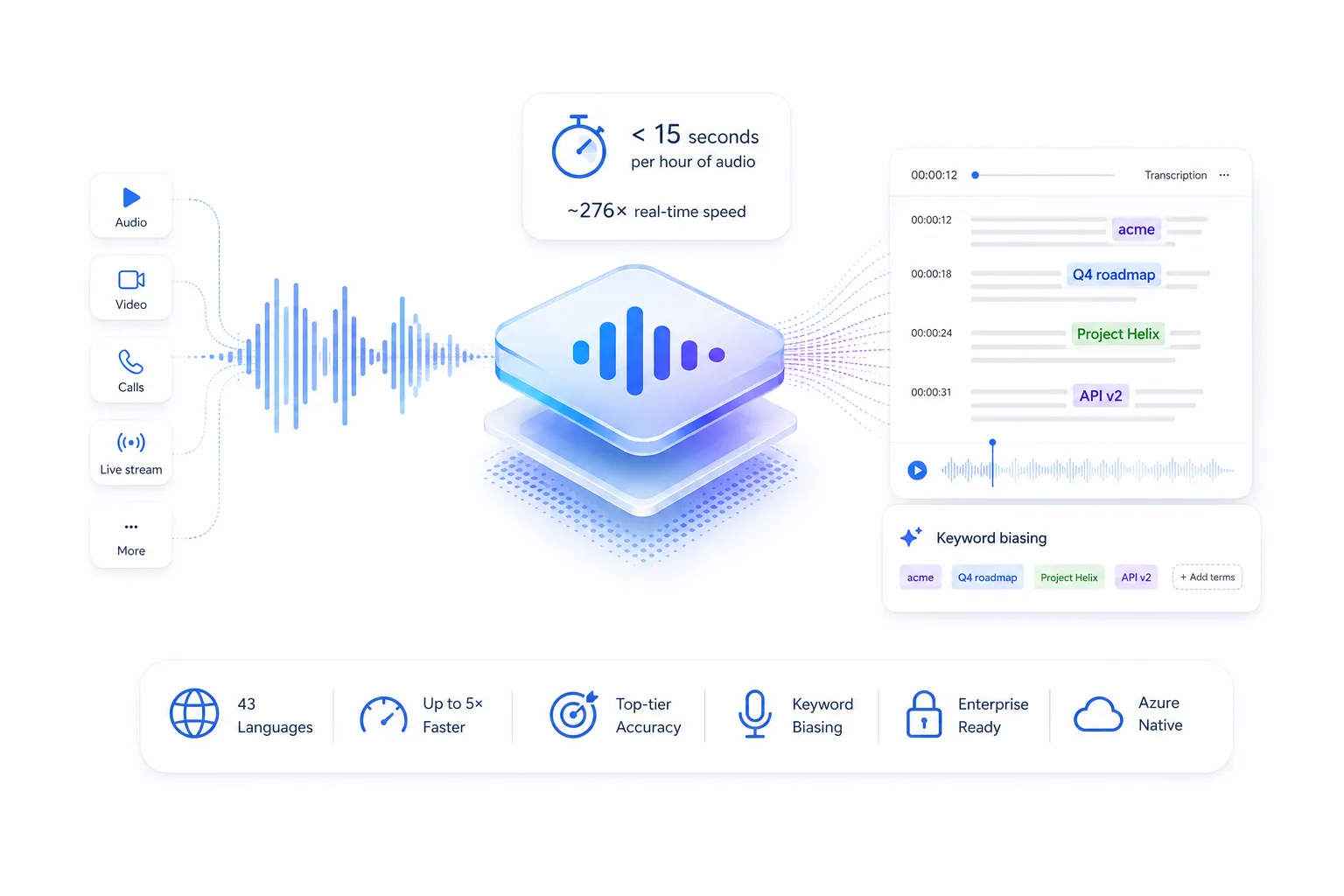
The original MAI-Transcribe-1, released just two months before Build 2026, already made a strong impression by hitting #1 on the FLEURS multilingual benchmark. MAI-Transcribe 1.5 builds on that foundation and closes the gaps that mattered most to production teams: more languages, faster batch processing, and a new keyword-biasing feature that makes the model genuinely usable in domain-specific enterprise contexts.
The headline number, an hour of audio transcribed in under 15 seconds, is the kind of benchmark that sounds impressive until you try to verify it, and then turns out to actually hold up. At roughly 276× real-time speed, it's not just faster than competing models; it's fast enough to make entire categories of previously impractical workflows viable: real-time archive processing, immediate meeting summaries, live content captioning pipelines that ingest faster than humans can review.
The Accuracy Story
Speed is easy to optimize when you sacrifice accuracy. MAI-Transcribe 1.5 doesn't do that. On the Artificial Analysis leaderboard it achieves a word error rate of 2.4%, placing it third among all models evaluated. On the FLEURS benchmark across 43 languages, it claims the #1 position for overall WER. That combination, best-in-class accuracy on one benchmark, top-three on another, with processing speeds that double the next-fastest model in the top ten, puts it at a genuinely unusual point on the accuracy-speed tradeoff curve.
For context: Whisper-large-v3, OpenAI's GPT-4o-Transcribe, and ElevenLabs Scribe v2 all appear in Microsoft's comparison tables showing MAI-Transcribe 1.5 running up to 5× faster on long audio. The per-language WER breakdown matters more than the aggregate number for specific deployments — ten of the eighteen newly added languages are South Asian (Bengali, Tamil, Telugu among them), eight are European (Ukrainian, Greek, Catalan).
Keyword Biasing: Enterprise Vocabulary Support
Generic transcription models frequently stumble on proper nouns, product names, internal acronyms, and industry-specific terminology. A medical transcription tool that consistently mishears medication names is worse than useless. MAI-Transcribe 1.5 addresses this directly with keyword biasing — the ability to pass a list of domain-specific terms that the model should actively watch for and prioritize in its output.
Critically, this isn't blind string replacement. The model uses context to decide when to apply a biasing term, rather than forcing every phonetically similar sequence into the provided vocabulary. In Microsoft's testing, keyword biasing reduces WER by up to 30% on FLEURS for domain-specific content. That's the difference between a meeting transcript that needs heavy cleanup and one that's review-ready.
Handling Real-World Audio
Benchmark WER scores are measured on clean, well-recorded audio. Production audio is rarely that. MAI-Transcribe 1.5 is specifically optimized for noisy environments — busy call centers, field recordings, meeting rooms with overlapping speakers, conference presentations with room echo. The underlying architecture uses a mixture-of-experts approach that dynamically selects specialized sub-networks for different languages, dialects, and acoustic environments rather than running a single generalist decoder on everything.
- 2.4% WER on Artificial Analysis (#3 overall, #1 on FLEURS across 43 languages)
- 276× Real-time speed— one hour of audio processed in under 15 seconds
- 5× Faster than competitors including Gemini 3.1, Scribe v2, GPT-4o-Transcribe on long audio
Key Features at a Glance
43-Language Coverage
Expanded from 25 to 43 languages, with 18 new additions spanning South Asian and Eastern European languages, without compromising accuracy on existing ones.
276× Real-Time Processing
Hour-long audio files transcribed in under 15 seconds. 5.7× faster than MAI-Transcribe-1 on long-form batch workflows.
Keyword & Entity Biasing
Context-aware domain vocabulary support that reduces WER by up to 30% on specialized content — medical terms, product names, internal jargon.
Noise-Robust Architecture
Mixture-of-experts design that handles overlapping dialogue, background noise, accented speech, and variable audio quality without separate pre-processing.
Timestamp Generation
Word-level timestamps alongside transcribed text — essential for subtitle generation, compliance archiving, and audio search indexing.
Native Integrations
Already embedded in Copilot, Teams, GitHub, and Dynamics 365 Contact Center — the production infrastructure for MAI-Transcribe 1.5 is already running at Microsoft scale.
MAI-Image 2.5: Generation and Editing That Holds Together
Microsoft's image model line has moved quickly. MAI-Image-1 debuted in October 2025 at position #9 on Arena. By March 2026, MAI-Image-2 reached #3. At Build 2026, MAI-Image 2.5 arrived at #3 for text-to-image and #2 for image editing on Arena's leaderboard, outperforming GPT-Image-1.5 and Nano Banana Pro 2K in blind human preference judging across multiple evaluation categories.
The Arena score itself is a snapshot, not a permanent trophy. What matters more for developers is understanding what drove those results: specifically, the editing architecture that makes MAI-Image 2.5 a meaningfully different kind of model than most of what's available in the image generation space.
The Generation Side
From a pure text-to-image standpoint, MAI-Image 2.5 delivers an overall +75 point improvement over MAI-Image-2 on Arena, with the largest gains in two areas: Text Rendering (+107 points) and Cartoon/Anime/Fantasy content (+90 points). Text rendering in particular has been a persistent weakness across image models, asking a model to generate an image with readable signage, clear labels, or accurate product text has historically required significant prompt engineering and multiple generation attempts. The improvement here is substantial enough to change how developers approach use cases where text accuracy matters.
The Editing Side — Where It Actually Gets Interesting
Most image generation models treat editing as regeneration. You change one element, and the entire scene shifts to accommodate the change, often altering things you didn't ask to change. This is frustrating in creative workflows and nearly unusable in commercial ones.
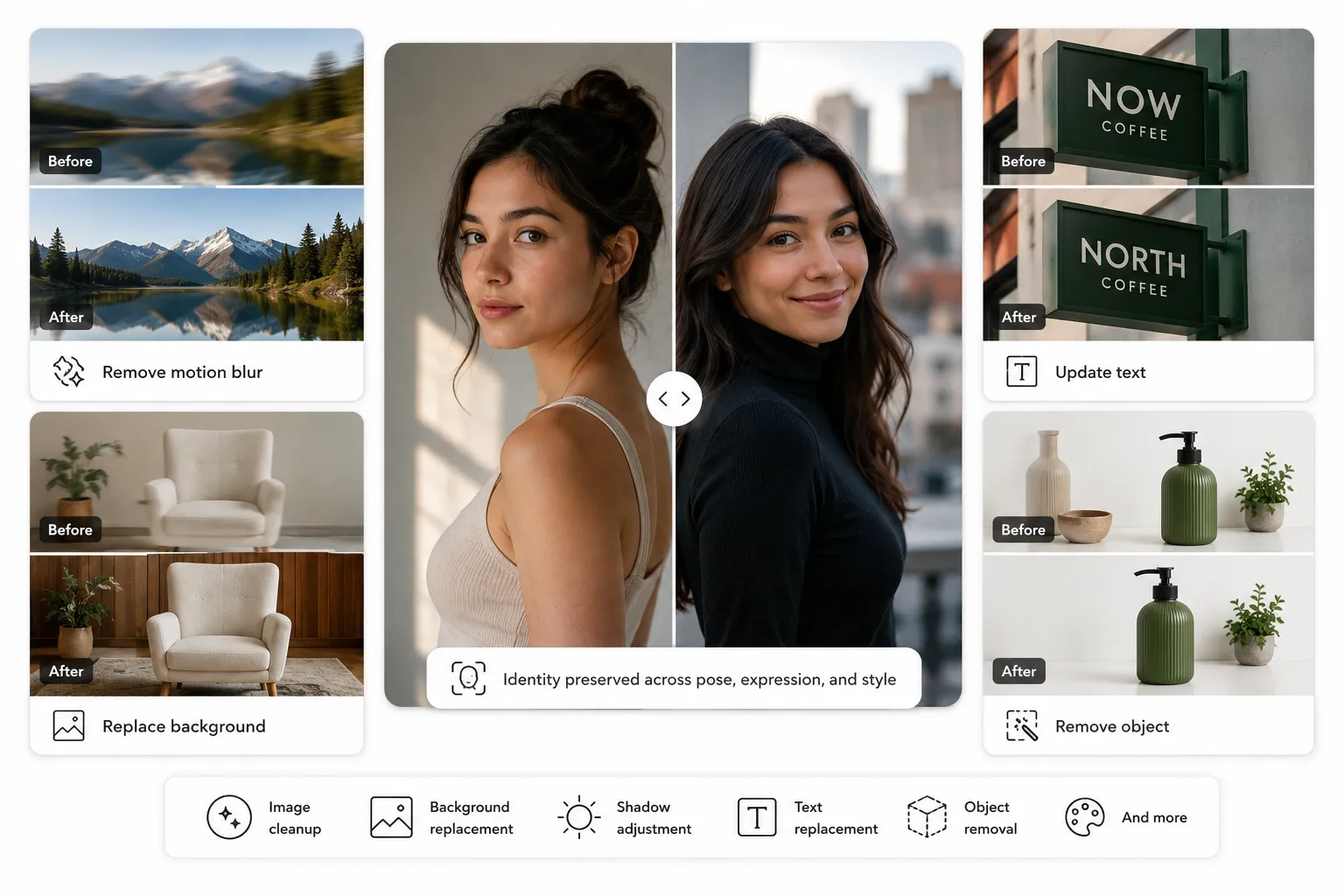
MAI-Image 2.5 takes a different approach. Its "control with preservation" capabilities allow localized edits, replacing an object, updating text in an image, removing motion blur, cleaning up a background, adding or removing elements without disturbing the rest of the image. The model understands scene context well enough to make a surgical change rather than a wholesale regeneration.
Facial identity preservation is specifically called out in Microsoft's documentation: the model maintains a recognizable likeness through changes in pose, expression, and viewpoint. For brands running campaigns with spokesperson content, or product teams maintaining visual consistency across variations, this capability reduces the number of edit-and-reject cycles considerably.
In blind preference judging across 12 editing categories, including image cleanup, background replacement, shadow adjustment, text replacement, and object removal — MAI-Image 2.5 wins the majority. Those are the categories that show up in real commercial creative workflows.
Flash Variant for Iteration Speed
MAI-Image 2.5 ships alongside MAI-Image 2.5 Flash, a faster and more cost-efficient version of the same model. The standard model is optimized for output quality; Flash is optimized for iteration speed. The practical pattern: use Flash when exploring prompt directions and generating many variations quickly, switch to the standard model when producing the final asset.
- #2 Image editing on Arena— outperforms GPT-Image-1.5 and Nano Banana Pro 2K in blind human judging
- #3 Text-to-image on Arenawith major gains in text rendering (+107pts) and creative content (+90pts)
- 12 Editing categorieswon in head-to-head human preference judging vs all active models
Key Features at a Glance
Localized Image Editing
Change one object, one piece of text, or one background element without triggering a full image regeneration. The model understands scene context, not just pixel regions.
Facial Identity Preservation
Maintains recognizable likeness through pose, expression, and viewpoint changes — critical for spokesperson content and consistent character development.
Improved Text Rendering
+107 point Arena improvement in text rendering specifically. Generates readable signage, accurate labels, and legible on-image copy more reliably than previous versions.
Prompt Fidelity
Strong adherence to complex prompts, maintaining object count, spatial relationships, and style specifications across variations.
Flash Variant
MAI-Image 2.5 Flash trades some output quality for significantly faster generation — ideal for high-volume iteration, A/B creative testing, and rapid concept exploration.
Product Integrations
Now available in PowerPoint for AI image generation and rolling out to OneDrive for precise photo editing — Microsoft's image model is becoming a platform feature.
How the Three Models Compare
The most common confusion when people first encounter these three models is reaching for MAI-Voice-2 when they need transcription, or expecting MAI-Transcribe 1.5 to generate audio. The comparison below clarifies the boundaries.
How These Models Work Together
The real value of having three models from a single first-party stack isn't any one model's capabilities in isolation, it's the workflows that become possible when you combine them. Here are four production-relevant patterns.
Voice Assistant Pipeline
The most straightforward combination pairs MAI-Transcribe 1.5 and MAI-Voice-2 around a language model. The result is a voice agent that understands what a user says, processes it with an LLM, and responds in natural speech.
Multimodal Content Pipeline
Given a content brief — a blog post, a marketing campaign, a course module — MAI-Voice-2 produces the narration while MAI-Image 2.5 generates the visual assets. The outputs combine into video, presentation, or rich web content without switching vendors or re-exporting assets between platforms.
AI Customer Support System
Incoming customer calls flow through MAI-Transcribe 1.5 for real-time or near-real-time transcription. Domain-specific keyword biasing improves accuracy on product names and support vocabulary. An LLM generates the response, and MAI-Voice-2 delivers it in the brand voice — the same voice, same emotional register, every time.
Full Multimodal Marketing Generator
A campaign brief goes in. MAI-Image 2.5 generates visual assets — display ads, landing page hero images, social media graphics. MAI-Voice-2 records voiceovers for video ads and product demos. The whole production pipeline runs through one API integration, one billing relationship, one set of governance policies.
Which Model Should You Use?
The straightforward version: pick by what direction your data flows. Text to audio? MAI-Voice-2. Audio to text? MAI-Transcribe 1.5. Text to image, or image to edited image? MAI-Image 2.5. The nuance is in the edge cases and the combination scenarios.
Choose MAI-Voice-2 if...
- You need natural-sounding speech output
- You're building a conversational agent or voice interface
- You need consistent branded voice across languages
- Your content benefits from emotional tone control
- You need voice cloning for personalized audio
- You're producing audiobooks, e-learning, or narrated video
- Your users speak Hindi-English or Spanish-English bilingually
Choose MAI-Transcribe 1.5 if...
- You need to convert recorded or live audio to text
- You process large volumes of audio in batch
- Your domain uses specialized vocabulary
- You need transcription across more than 10 languages
- Audio quality is variable or noisy
- You need transcripts for compliance or archiving
- You're building meeting summaries or call analytics
Choose MAI-Image 2.5 if...
- You need original visual assets from text prompts
- You need to edit existing images without full regeneration
- You're building marketing or advertising creative workflows
- Text accuracy inside generated images matters
- You need consistent faces or product visuals across edits
- You want Flash for rapid iteration and standard for finals
- You're integrating image generation into Microsoft Office apps
When should you use all three together?
When you're building a multimodal AI product that needs to listen, think, speak, and show — like a voice-driven marketing assistant, an AI tutoring system, or a fully automated content production pipeline. All three models live in the same API surface on Microsoft Foundry and AI/ML API, which means combining them requires one integration, not three.
Best Practices for Production Deployments
Latency management: MAI-Voice-2 generates complete audio files server-side rather than streaming, so design your UX around async response patterns or use intermediate loading states for conversational applications. MAI-Transcribe 1.5 is optimized for batch workloads; a native streaming API for real-time transcription is on the roadmap but not yet available.
Cost optimization: For MAI-Transcribe 1.5, the per-hour pricing model rewards batching. Processing audio in larger chunks rather than many short clips reduces per-request overhead. For MAI-Voice-2, character count includes all markup — keep SSML overhead minimal in high-volume deployments. For MAI-Image 2.5, use the Flash variant during development and exploration; switch to standard only for final production assets.
Prompt engineering for MAI-Image 2.5: The model's control-with-preservation editing is activated by clear, specific edit instructions that describe what to change and what to keep. Generic prompts like "improve this image" underperform specific ones like "replace the background with a white studio background, preserving the subject and lighting."
Governance and compliance: All three models run under Azure's compliance framework, including HIPAA and GDPR support. For voice cloning specifically, MAI-Voice-2's consent guardrails are a production requirement, not optional — build your consent flow before enabling voice prompting features.
Frequently Asked Questions
What is MAI-Voice-2 used for?
MAI-Voice-2 converts text into natural-sounding speech across 15 languages. Primary use cases include AI voice assistants, customer service bots, audiobook narration, e-learning content, video voiceovers, and accessibility tools. It adds zero-shot voice cloning, emotion control (sad, excited, whispered, etc.), and code-switching for Hindi-English and Spanish-English bilingual speech.
How accurate is MAI-Transcribe 1.5?
On the Artificial Analysis leaderboard, MAI-Transcribe 1.5 achieves a 2.4% word error rate, ranking #3 overall. On the FLEURS multilingual benchmark — the standard evaluation for multilingual speech recognition — it claims #1 accuracy across all 43 supported languages. Keyword biasing can further reduce WER by up to 30% on domain-specific vocabulary.
Can MAI-Image 2.5 generate marketing images?
Yes. MAI-Image 2.5 generates high-quality images from text prompts and edits existing images with localized precision. It ranks #2 on Arena's image-editing leaderboard and is already being used inside Microsoft PowerPoint and OneDrive for commercial creative workflows. The Flash variant provides faster iteration for early-stage creative exploration.
Can MAI-Voice-2 and MAI-Transcribe 1.5 be used together?
Absolutely — this is one of the most natural combinations. MAI-Transcribe 1.5 converts user speech to text, a language model processes the intent, and MAI-Voice-2 delivers the response in natural speech. This is the architecture for a complete voice assistant or AI customer service agent, all within Microsoft Foundry or a single API provider like aimlapi.com.
Which MAI model is best for multilingual applications?
MAI-Transcribe 1.5 covers the widest language range at 43 languages, including South Asian and Eastern European languages where most competitors fall short. MAI-Voice-2 covers 15 languages for speech output. If your application needs to both listen and speak across multiple languages, using both together is the right architecture.
What is MAI-Image 2.5's "control with preservation" feature?
It's MAI-Image 2.5's editing architecture, which allows localized changes — replacing an object, updating text in an image, swapping a background — without regenerating the entire scene. Most image models treat any edit as a reason to regenerate everything, which disrupts elements you didn't ask to change. MAI-Image 2.5's approach preserves facial identity, spatial composition, and lighting when making targeted edits.