Nano Banana & Nano Banana Pro: Prompting Guide
Nano Banana and Nano Banana Pro stand out as two sophisticated image-generation models tailored to diverse creative needs. These tools span a broad array of visual tasks, from quick, nimble edits on the fly to meticulously crafted 4K images ready for professional design, marketing campaigns, and production workflows.
Although the models share branding, they are built on different architectural principles. As a result, they respond best to different prompting approaches. Understanding how each model interprets instructions is the key to achieving predictable, high-quality results.
Nano Banana prioritizes swift performance and adaptable visuals, perfect for iterative processes and editing sessions that demand speed. In contrast, Nano Banana Pro focuses on logical planning, precise layouts, and faithful text reproduction, making it a go-to for intricate compositions and clear visual messaging.
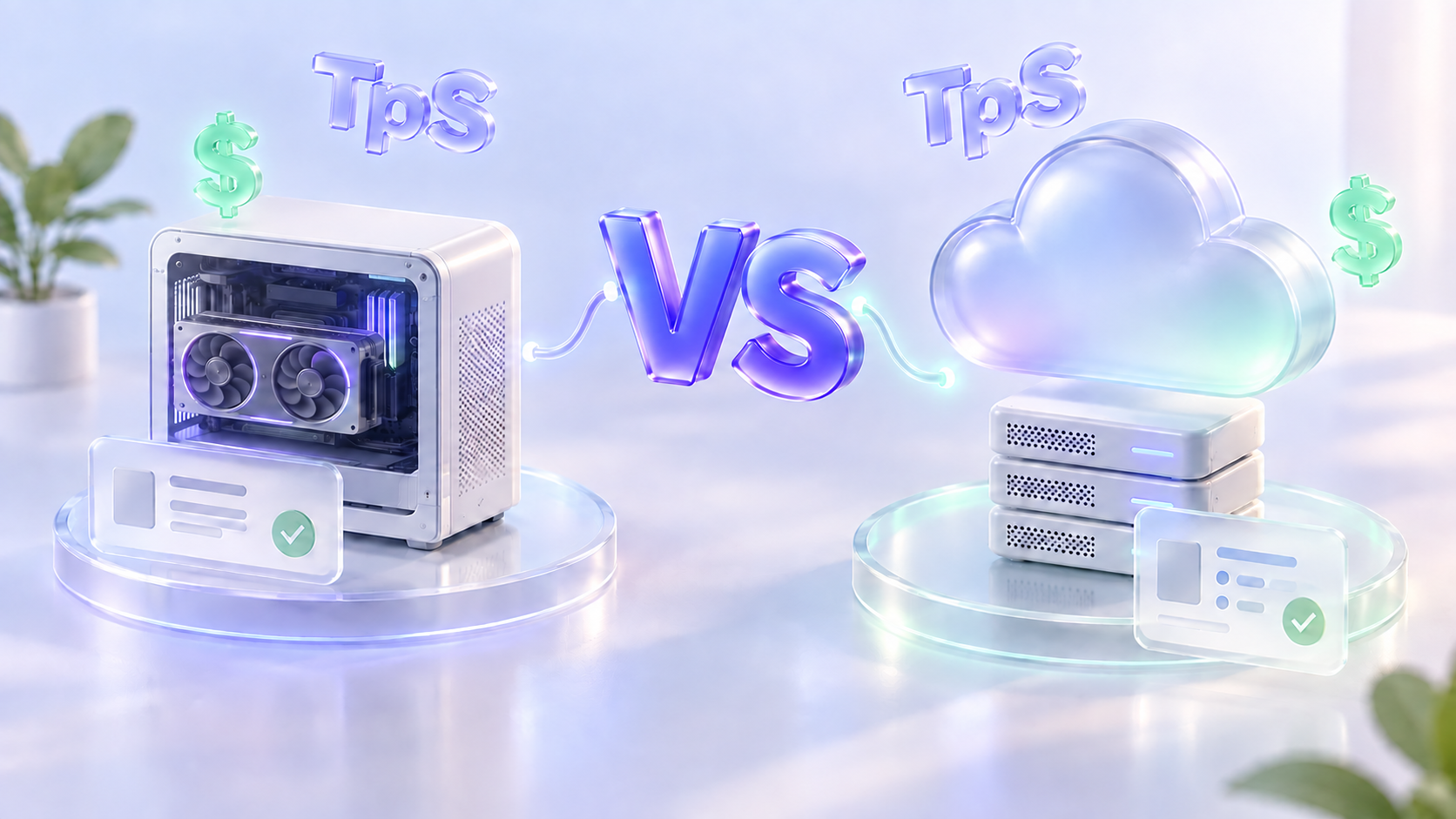
Nano Banana vs. Nano Banana Pro
Even with their overlapping branding, these models carve out unique niches in the creative landscape.
Nano Banana (Gemini 2.5 Flash)
This model is optimized for pixel-level responsiveness. It analyzes existing images and applies transformations rapidly, making it the go-to tool for creative iteration and stylistic experimentation.
Nano Banana Pro (Gemini 3 Pro)
This model performs a reasoning phase before generating any pixels, thinking through layout, hierarchy, and information architecture. The result is structured, production-ready visual communication.
Core Differences
Certain techniques, like blending references or ensuring character uniformity, apply to both. Yet Nano Banana often facilitates rapid trial-and-error, whereas Nano Banana Pro offers superior command and accuracy.
Prompting Nano Banana (Gemini 2.5 Flash)
Nano Banana operates on a “visual editing” principle. Instead of logically constructing scenes from scratch, it analyzes existing pixels and predicts how they should change according to your instructions.
This makes it particularly effective when you want to modify an image while preserving its overall aesthetic identity.
Image Generation and Style Direction
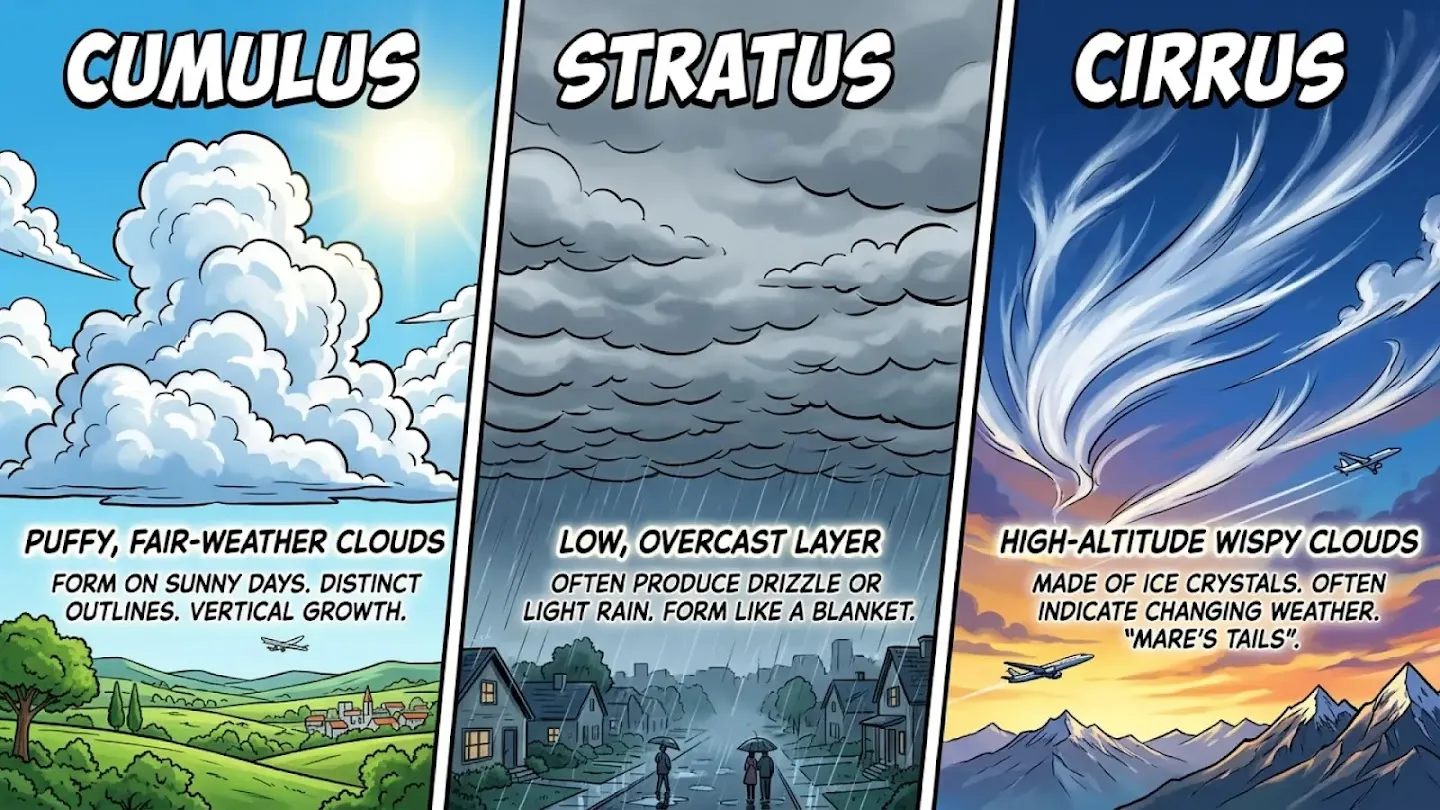
For text to image prompts, clarity matters more than complexity. Strong prompts typically define three elements in natural language.
First, clearly describe the subject and action. Identify the focal point and explain what is happening.
Second, establish context. Specify environment, lighting, perspective, and background details.
Third, define the visual style. Art direction shapes mood and rendering quality.
Full descriptive sentences consistently outperform keyword fragments because they communicate visual intent more precisely.
Example:
Natural-Language Image Editing
Nano Banana excels at semantic editing. You do not need to manually mask regions. Instead, you describe the change in plain language. Reliable edits follow one rule. Be explicit about what changes and what remains untouched.
- Object removal works best with direct verbs and precise references. Instruct the system to remove a specific element and keep everything else unchanged.
- Object addition requires spatial clarity. Indicate where the new object should appear and how it should interact with light and perspective.
- Object replacement is most stable when composition is preserved. Replace one element while keeping framing, lighting, and positioning consistent.
Style transfer is another strength. Nano Banana can reinterpret an image in a new artistic direction without disrupting layout or subject relationships. This makes it ideal for exploring multiple aesthetics quickly during concept development.
Character Consistency Workflow
Maintaining character identity across multiple scenes remains challenging for most image systems. A structured reference workflow significantly improves stability.
Begin by generating a character reference sheet with multiple angles. Produce a front view, left profile, right profile, and back view. These images become identity anchors.
Next, reuse these references when placing the character into new environments. This stabilizes proportions, facial structure, and costume details.
A typical storyboard progression might include a studio portrait that defines the character, rotational variations to capture full structure, and then environmental placements using the reference images as anchors.
This method is especially effective for advertising campaigns, narrative sequences, and branded storytelling.
Prompting Nano Banana Pro (Gemini 3 Pro)
Nano Banana Pro behaves less like an editor and more like a designer. It performs a reasoning phase before generation, organizing hierarchy and layout logic. This makes it exceptionally strong in structured visual communication.
Infographics and Structured Layouts
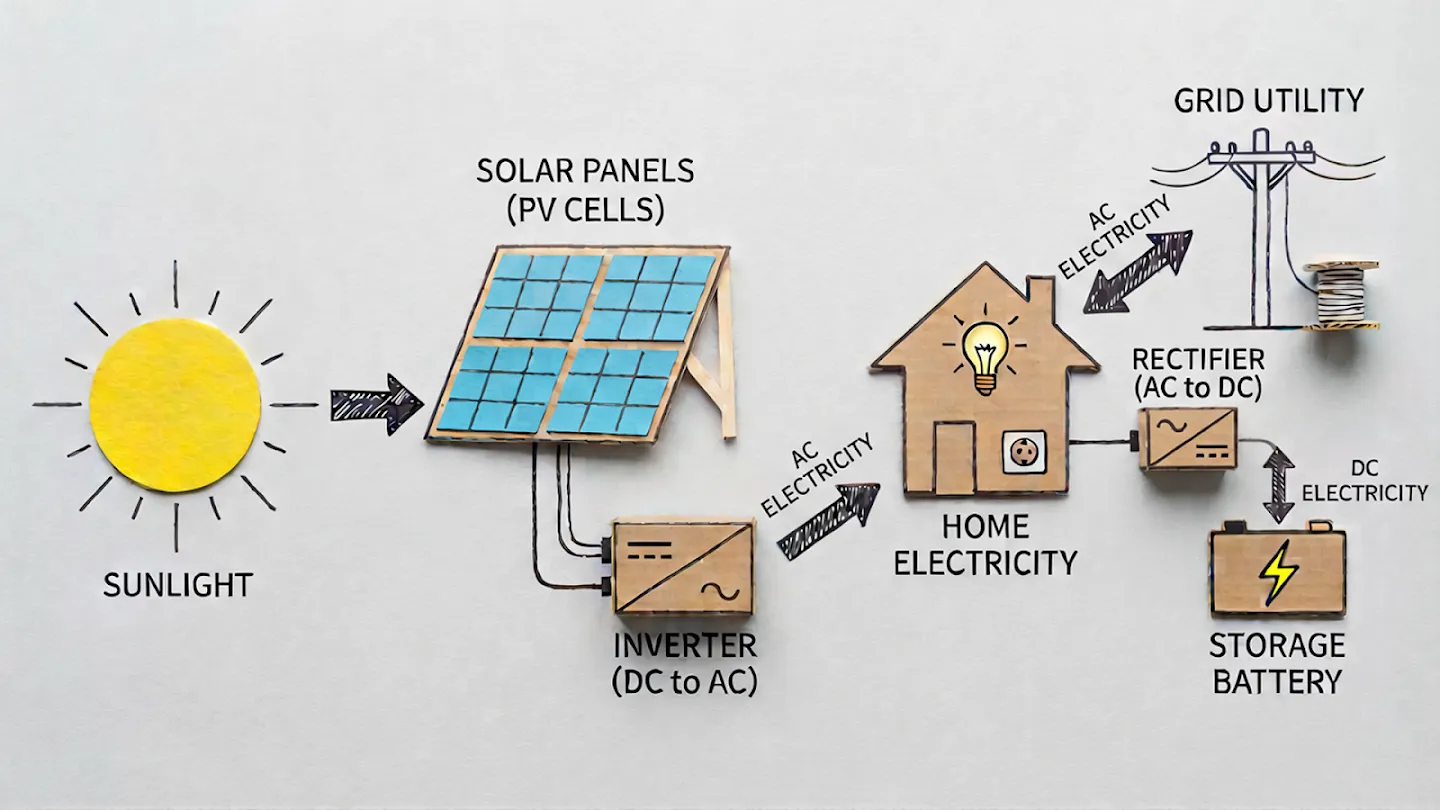
Because the system plans composition in advance, it can produce readable, logically arranged graphics.
When prompting for infographics, specify layout behavior. Request directional flow such as an S curve or zigzag progression for step by step processes. Ask for modular grids when presenting segmented information. Define white space to enhance readability.
Clear hierarchy also improves results. Identify headline, subheader, and body levels. If color coding is required, explain its purpose. Gradients can represent numerical scale. Distinct colors can define categories.
Example:
Typography and Text Rendering
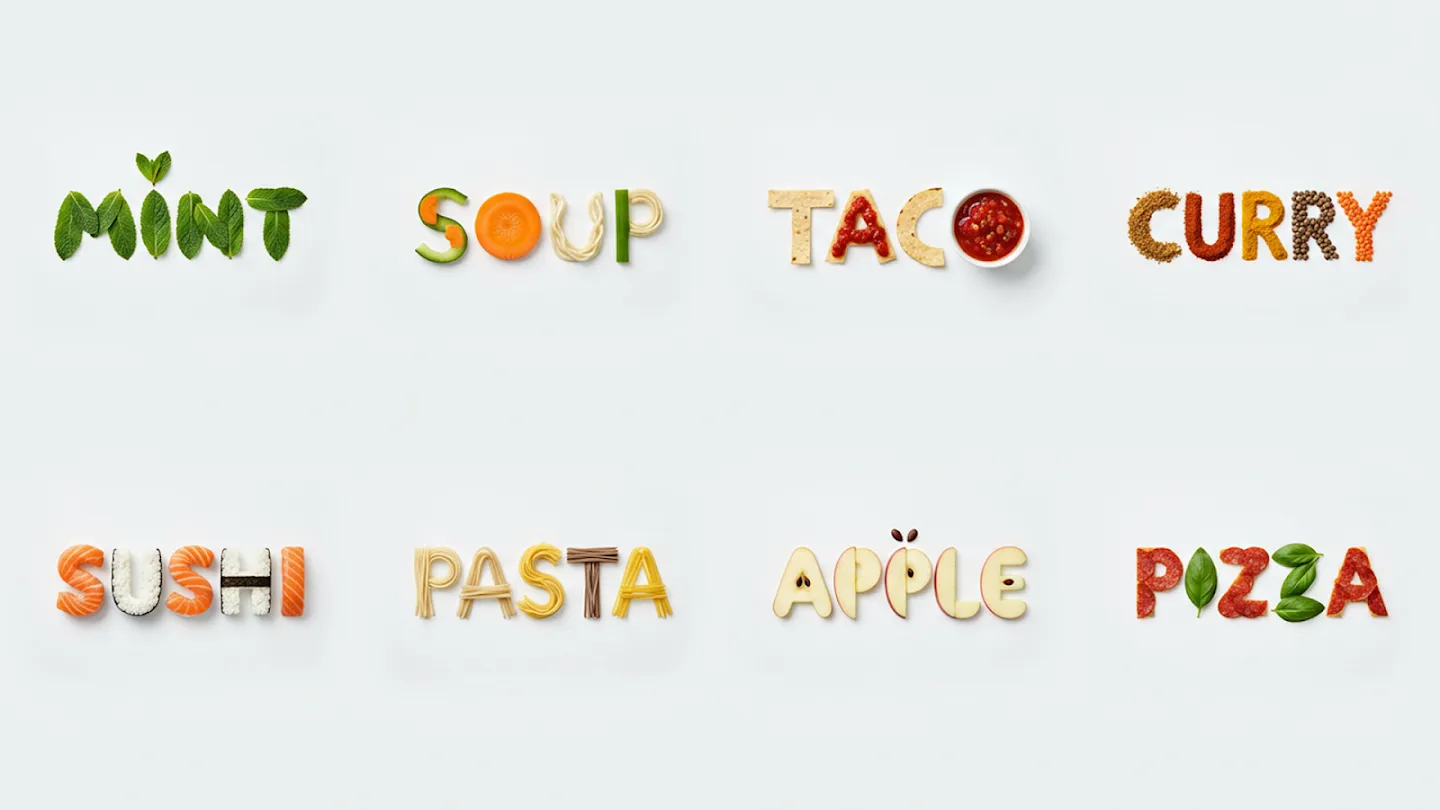
One of Nano Banana Pro’s strongest advantages is reliable typography, including multilingual text rendering. This makes it suitable for posters, educational graphics, and user interface concepts.
For best results, place exact wording inside quotation marks. Keep text concise. Instead of naming specific fonts, describe their personality, such as elegant serif, modern geometric sans serif, or technical monospace. Define hierarchy clearly so the system understands importance levels.
Example:
Multilingual Translation in Images
Nano Banana Pro can translate text directly inside images while preserving composition and branding structure.
Keep translated phrases short. Specify where the text appears. Instruct the system to maintain layout and design integrity. For professional production, always verify translations with a native speaker to ensure nuance and accuracy.
Advanced Workflows
Real-World Data Grounding
Nano Banana Pro can reference live search data to improve factual accuracy. This is useful for geographic scenes, historical representations, weather overlays, and data driven visuals.
For example, you might request verification of current weather conditions in Sydney and overlay that information onto a cinematic image of the Sydney Opera House.
Multi Reference Image Mixing
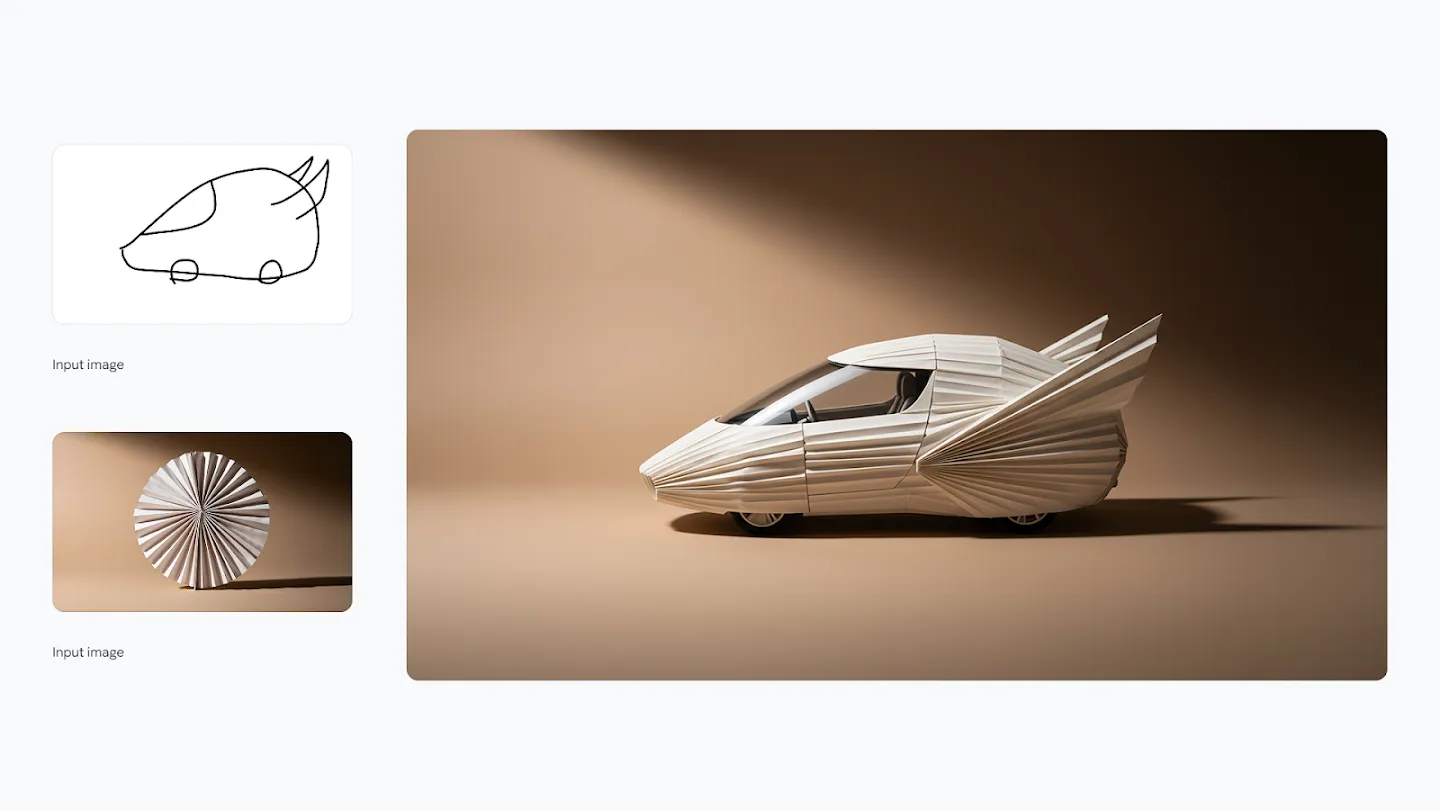
Both models support combining multiple references. The key is clarity of roles. Specify which reference controls identity, which defines clothing or texture, and which elements must remain unchanged. Allow flexibility only where variation is acceptable.
Example:
High-Resolution (2K/4K) Output
Nano Banana Pro supports production ready resolutions, including 2K and 4K output. This makes it suitable for product photography, print campaigns, large format displays, and premium marketing materials.
A typical prompt might describe a luxury watch photographed in ultra detailed 4K, emphasizing brushed steel textures and visible mechanical components under dramatic studio lighting.
From First Idea to Final Asset
The two models work best together — use Nano Banana for exploration, then hand off to Nano Banana Pro for precision and delivery.
Concept & Ideation
Use Nano Banana to rapidly generate visual concepts from a brief. Explore styles, moods, and compositions without commitment.
Edit & Iterate
Refine selected concepts using natural-language editing commands. Remove, replace, or restyle elements in seconds.
Structure & Design
Hand off to Nano Banana Pro to apply structured layout logic, accurate typography, and hierarchical composition.
Production Output
Export in 4K resolution, ready for print, digital publication, large-format display, or direct use in marketing pipelines.
Final Thoughts
Nano Banana and Nano Banana Pro represent two complementary creative philosophies.
- Nano Banana enables fast experimentation, adaptive editing, and fluid visual iteration.
- Nano Banana Pro enables structured design, typographic precision, and production grade execution.
Mastery of these systems does not depend on writing longer prompts. It depends on aligning your instructions with how each model interprets visual intent. When combined thoughtfully, they form a flexible creative pipeline that supports everything from early concept exploration to polished, professional output.
Frequently Asked Questions
Which model should I start with as a beginner?
Start with Nano Banana. Its conversational prompting style and fast iteration loop make it forgiving and fun for newcomers. Once you have a clear visual direction, graduate to Nano Banana Pro for final production.
Can I use both models together in a single project?
Absolutely — and that's the recommended approach. Use Nano Banana for rapid concept exploration and visual editing, then hand off to Nano Banana Pro for structured layout, typography, and high-resolution export.
What does real-time data grounding mean in Nano Banana Pro?
Nano Banana Pro can query live information during generation — for example, fetching the current weather for a city and overlaying it on a scene, or referencing accurate geographic or historical data to improve factual visual accuracy.
Is 4K output available on Nano Banana (standard)?
4K and 2K production-resolution output is a feature specific to Nano Banana Pro. Nano Banana (standard) is optimized for speed rather than maximum resolution output.